> For the complete documentation index, see [llms.txt](https://docs.spice.ai/llms.txt). Markdown versions of documentation pages are available by appending `.md` to page URLs; this page is available as [Markdown](https://docs.spice.ai/features/observability.md).
# Observability
First-class, built-in observability to understand the operations Spice performs.
Observability in Spice enables task tracking and performance monitoring through a built-in distributed tracing system that can [export to Zipkin](/features/observability/zipkin.md) or be viewed via the [`runtime.task_history`](/features/observability/task-history.md) SQL table.
Spice records detailed information about runtime operations through trace IDs, timings, and labels - from SQL queries to AI completions. This task history system helps operators monitor performance, debug issues, and understand system behavior across individual requests and overall patterns.
### Use-Cases
#### Debugging and Troubleshooting
* Trace AI chat completion steps and tool interactions to identify why a request isn't responding as expected
* Investigate failed queries and other task errors
#### Performance Analysis
* Track SQL query/tool use execution times
* Identify slow-running tasks
#### Usage Analytics
* Track usage patterns by protocol and dataset
* Understand how AI models are using tools to retrieve data from the datasets available to them
### Portal Interface
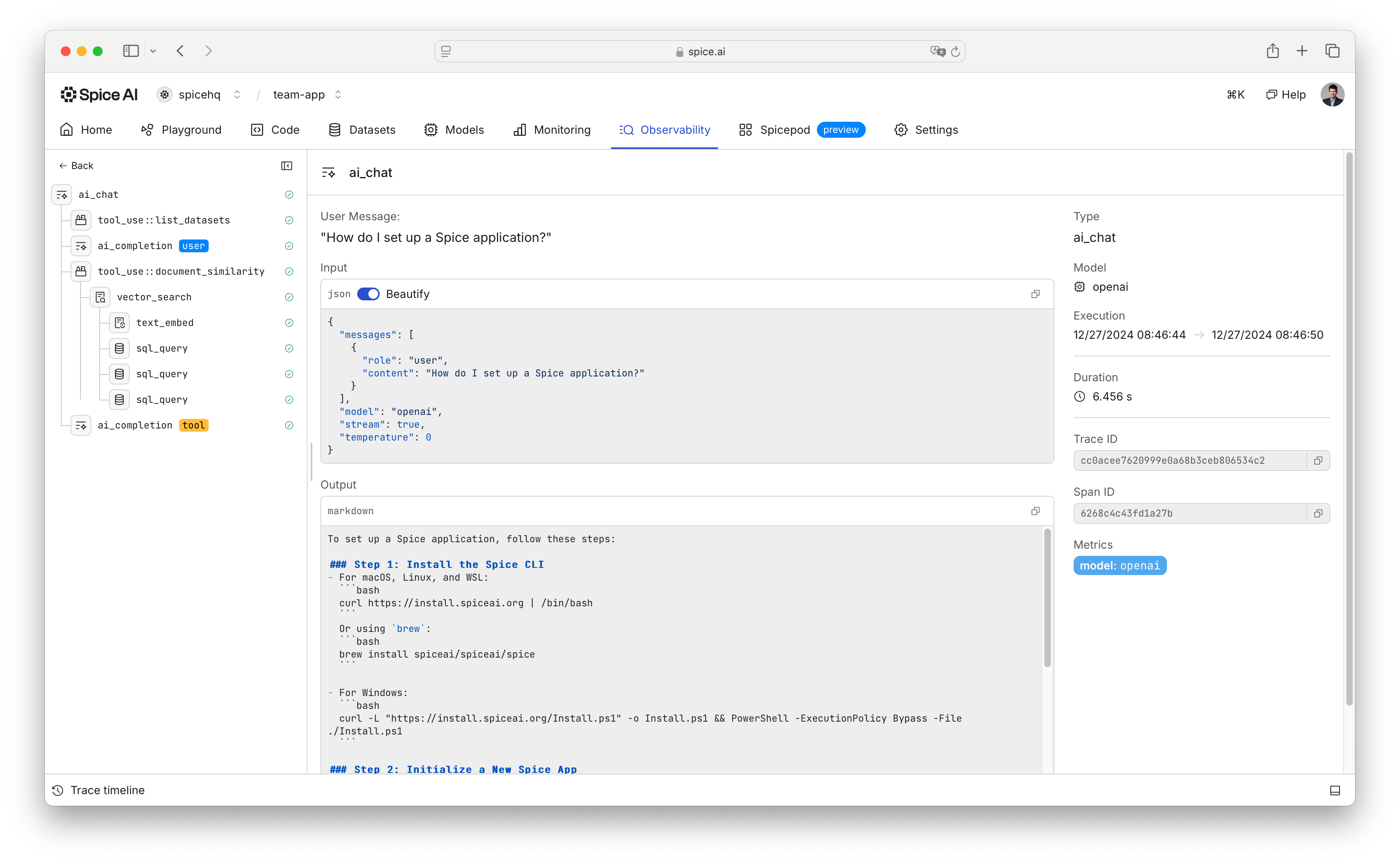
The Spice platform provides a built-in UI for visualizing the observability traces that Spice OSS generates.
An observability trace for an AI chat completion in the Spice portal.
---
# Agent Instructions
This documentation is published with GitBook. GitBook is the documentation platform designed so that both humans and AI agents can read, navigate, and reason over technical content effectively. Learn more at gitbook.com.
## Querying This Documentation
If you need additional information that is not directly available in this page, you can query the documentation dynamically by asking a question.
Perform an HTTP GET request on the current page URL with the `ask` query parameter, and the optional `goal` query parameter:
```
GET https://docs.spice.ai/features/observability.md?ask=&goal=
```
`ask` is the immediate question: it should be specific, self-contained, and written in natural language.
`goal` is optional and describes the broader end goal you are ultimately trying to accomplish on behalf of the user. GitBook uses it to tailor the answer towards what is most useful for that goal.
The response will contain a direct answer to the question and relevant excerpts and sources from the documentation.
Use this mechanism when the answer is not explicitly present in the current page, you need clarification or additional context, or you want to retrieve related documentation sections.